RMUC.26 is Powered by Cvent
Make the most of your time at RMUC.26 with Cvent, the official RMUC.26 app. More than just a digital agenda, Cvent is your go-to resource for navigating the conference, managing your schedule, accessing session materials, connecting with other attendees, and staying up to date throughout the week.
Think of it as your RMUC.26 cheat sheet, networking tool, schedule planner, and conference guide—all in one place.


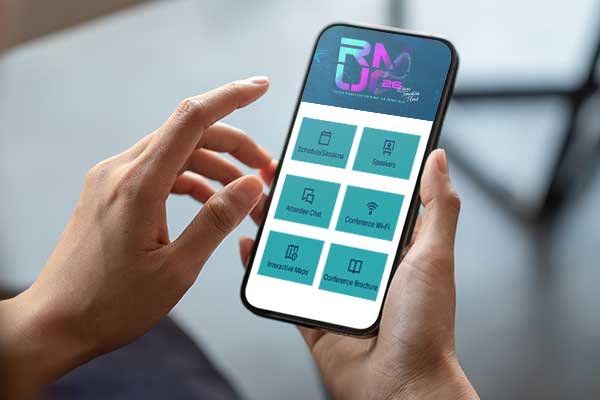
Your Cvent Features:
My Schedule: Keep Your Day Organized
Your My Schedule section gives you a personalized view of your RMUC.26 itinerary. Sessions you registered for will appear here, making it easy to see what’s coming up next without scrolling through the entire conference agenda.
Use My Schedule throughout the day to:
- See your upcoming sessions in chronological order
- Check session start and end times
- Find the room or location for each session
- Review session details before you arrive
- Keep track of the sessions you’ve selected for each day
Tip: Check My Schedule each morning for a quick overview of your day.
All Sessions: Explore the Full RMUC.26 Agenda
Want to see what else is happening? Head to the full agenda to browse RMUC.26 sessions and activities beyond your personal schedule.
Tap on a session to view additional information, including the session description, time, location, and presenter information. If registration is available, you can also add additional sessions to your schedule directly from the app.
This is especially helpful if you have an open spot in your schedule and want to see what’s happening nearby.
Session Handouts: Take RMUC Home with You
Many RMUC.26 sessions include digital handouts and resources that you can access directly through Cvent.
Open the individual session listing to find available materials. Instead of worrying about taking a photo of every slide or writing down every detail, you can reference these resources during the session or revisit them later.
Tip: If you attend a session with a resource you know you’ll want later, check the session page for available handouts before moving on to your next session.
Interactive Maps: Find Your Next Stop
There’s a lot happening throughout RMUC.26, and Interactive Maps can help you figure out exactly where you need to go.
Use the maps within Cvent to explore the RMUC conference space and navigate the JW Marriott San Antonio Hill Country Resort & Spa. Maps can help you locate session rooms, conference areas, and other important RMUC destinations.
If you’re checking your schedule and don’t recognize a room name, use the map before heading out.
Attendee List: See Who’s at RMUC
RMUC brings together property management professionals from across the industry, and Cvent makes it easier to discover who else is attending.
Use the Attendee List to browse other RMUC.26 attendees who have chosen to make their profiles visible. Attendee profiles can help you put names to faces, find people you’ve met during the conference, and discover new connections.
Completing your own profile can also make it easier for other attendees to find and connect with you.
In-App Messaging: Keep the Conversation Going
Meet someone at a session, social event, or between sessions? You don’t have to rely on remembering to exchange contact information.
Cvent’s in-app messaging allows you to communicate directly with other participating attendees, sponsors, and Rent Manager employees. Use it to follow up after a conversation, coordinate a meetup, or continue networking throughout RMUC.26.
Presenter Profiles: Get to Know Your Speakers
Before attending a session, take a look at the presenter’s speaker profile in Cvent.
Presenter profiles give you additional information about the people leading RMUC.26 sessions and can help you learn more about their experience and areas of expertise before the presentation begins.
You can access presenter information through the app or directly from the sessions they’re presenting.
Session Surveys: Tell Us What You Think
Your feedback plays an important role in shaping future RMUC events.
After attending a session, look for the session feedback survey in Cvent. Surveys give you an easy way to share what worked, what you found valuable, and what you’d like to see in the future.
Tip: Complete surveys shortly after each session while the experience is still fresh in your mind.
Push Notifications: Don’t Miss Important Updates
RMUC moves quickly, so make sure push notifications are enabled for the Cvent Events app.
Throughout the conference, notifications may be used to share:
- Important RMUC announcements
- Schedule reminders
- Location or agenda updates
- Last-minute changes
- Conference highlights
- Helpful reminders about upcoming activities
Keeping notifications turned on is one of the easiest ways to make sure you don’t miss something important.
Your Profile: Make Networking Easier
Your Cvent profile is your introduction to the RMUC.26 community. After logging in, take a few minutes to review and complete your information.
A more complete profile can help other attendees understand who you are, where you work, and what you do before connecting with you.
Participation is optional, and you can choose how much information you’d like to share.